

Me, myself and Affinity

At the start of the year, I’ve wrote about ditching Lightroom and Photoshop and switching to Affinity. My reason wasn’t Adobe’s prices but changing computers. A short recap: never paid for Adobe subscription, I had installed on the computer Lightroom 4 and Photoshop CS5 Extended so when I got a new computer, I couldn’t transfer the software.
I am not an expert in Photoshop, never was, I’ve learned from it only what I needed. I think Photoshop is so complex that even the engineers behind it don’t know everything that the software can do. I’m happy with what I’ve learned and for me that’s enough but what I’ve learned to do I can do it with my eyes closed.
I am going to say something that some people might find controversial but that is not my intention: when it comes to a single photo, there’s nothing that Lightroom can do better than Camera Raw. To me there is no difference between Lightroom and Camera Raw except Lightroom has a much friendlier interface. And this is very important for what is coming. {Please don’t try to bring in discussion catalogues in Lightroom – the CS versions of photoshop had Bridge (library), Camera Raw (adjustments) and Photoshop (manipulation) all in one single package.}
Another thing that we have to take in consideration is the personal preference, this is the reason for “myself” in the title. We all know that there’s more than one way to skin a cat – same applies to Photoshop where there’s more than one way of getting the same results. Let’s say, I like to adjust using Brightness and Contrast, somebody else adjust using Tones and Curves; you get the idea. Why am I saying this? Because when it comes to Affinity it comes to my preferences.
Now it’s time to present my findings regarding Affinity. What I like about Affinity is that it has 3 major parts all in one place: the graphics and vectors, the photography and the design part. There is no need for 3 different software like in Adobe, there are all there, easy to move from one to the other. What I don’t like is the way Affinity is structured by modules and from this point of view Photoshop is friendlier and more intuitive; Affinity doesn’t do … intuition.
Up to now I’ve learned where to find the modules that I need and how to use them. It was a learning curve but not a steep one. Is Affinity at the same level as Photoshop? To me, it is if one is willing to learn. One doesn’t need to learn new tricks but to learn where to find the tricks that already knows. With a bit of patience, one can easily find the white balance, exposure, contrast, curves and all the adjustments available in Photoshop. Each of these adjustments are non-destructive and can be applied as layers with or without mask. Saving files it’s easy, and there are plenty of options including the native .af which is the equivalent of .psd. By the way, any .psd file can be open in Affinity without any problem. Layers and masks are working the same as in Photoshop and can be used as single or grouped together, nothing new here.
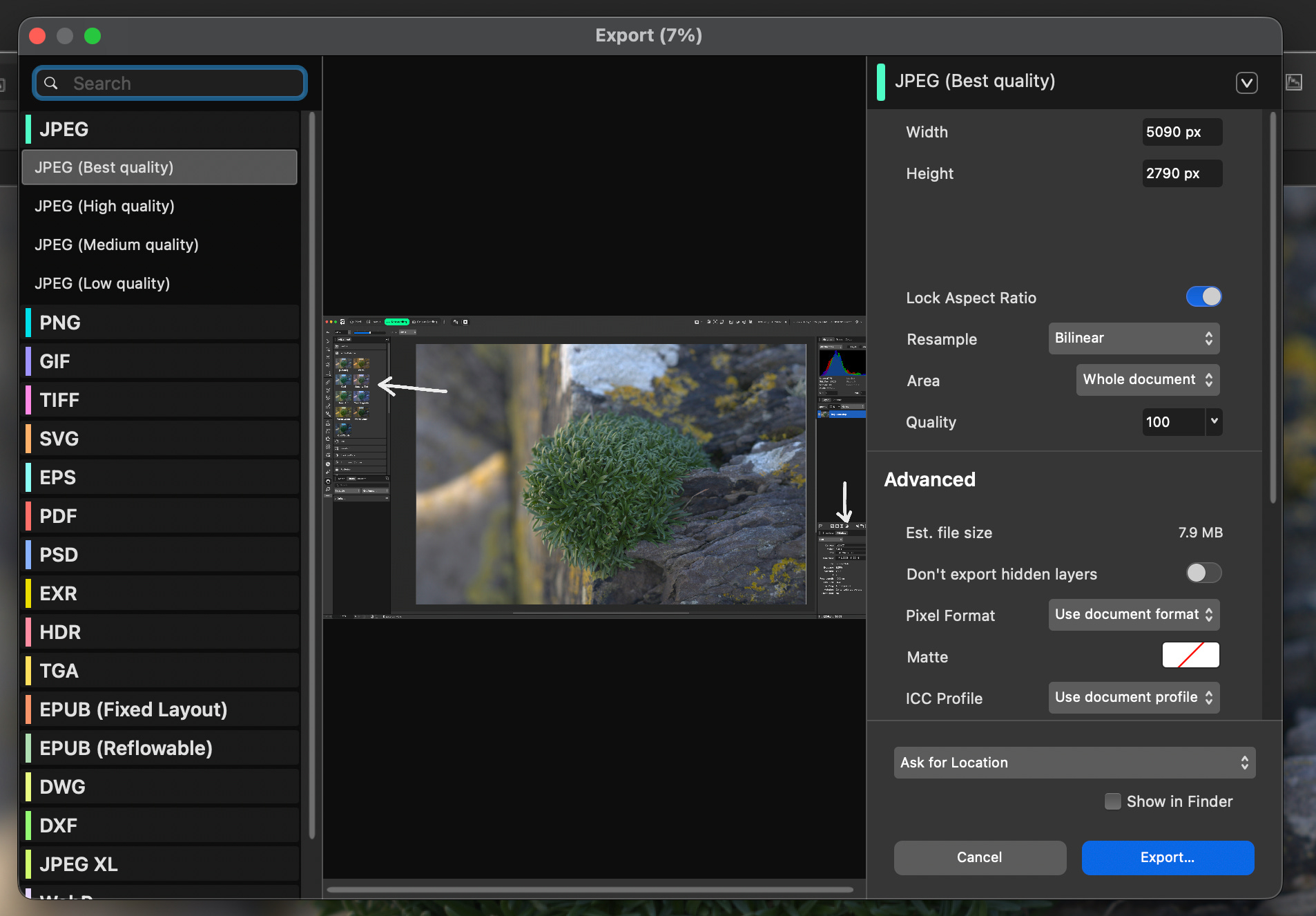
I didn’t learn enough about “Pages” yet. Pages is the part where two or more images can be combined, let’s say creating a diptych, so I’m not going to talk about it. Yes, combining images is possible.
There are plenty tutorials for using Affinity starting with the ones put together by Affinity and then going to Youtube where everybody is an expert. I didn’t watch any; I wanted to discover everything by myself and I did many trials and errors until I learned. Because there are many tutorials available, I’m not trying to explain Affinity to you. Instead, I’m going to give you one example that makes you understand better how Affinity works. That example is the white balance.
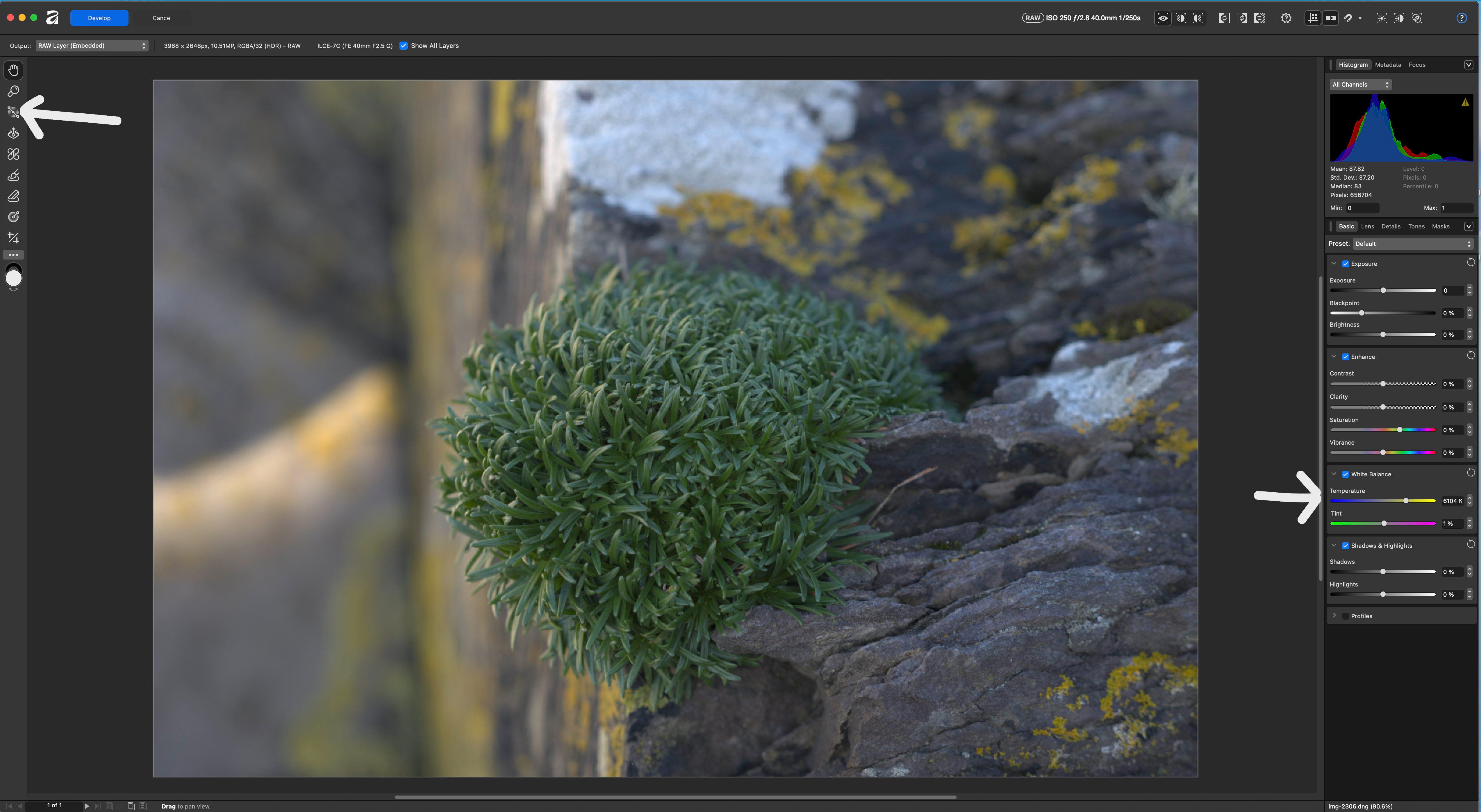
Right click on a photo and chose “Open with Affinity”. This will open the photo in Affinity in a module called “Develop”. This module is very basic, it is a bit like Camera Raw and offers tools on the left side panel: white balance, red eye removal, blemish removal, three types of masks and cropping; and on the right side panel adjustments: exposure, enhance, white balance, shadows and highlights. If we pick the white balance tool from the left panel this is actually the color picker: pick the tool, click on the photo on something that we think is white or neutral and the white balance will change accordingly. The white balance adjustments on the right panel will give us the option of using sliders to modify the colour temperature and the tint. That is the difference between the two white balance options.
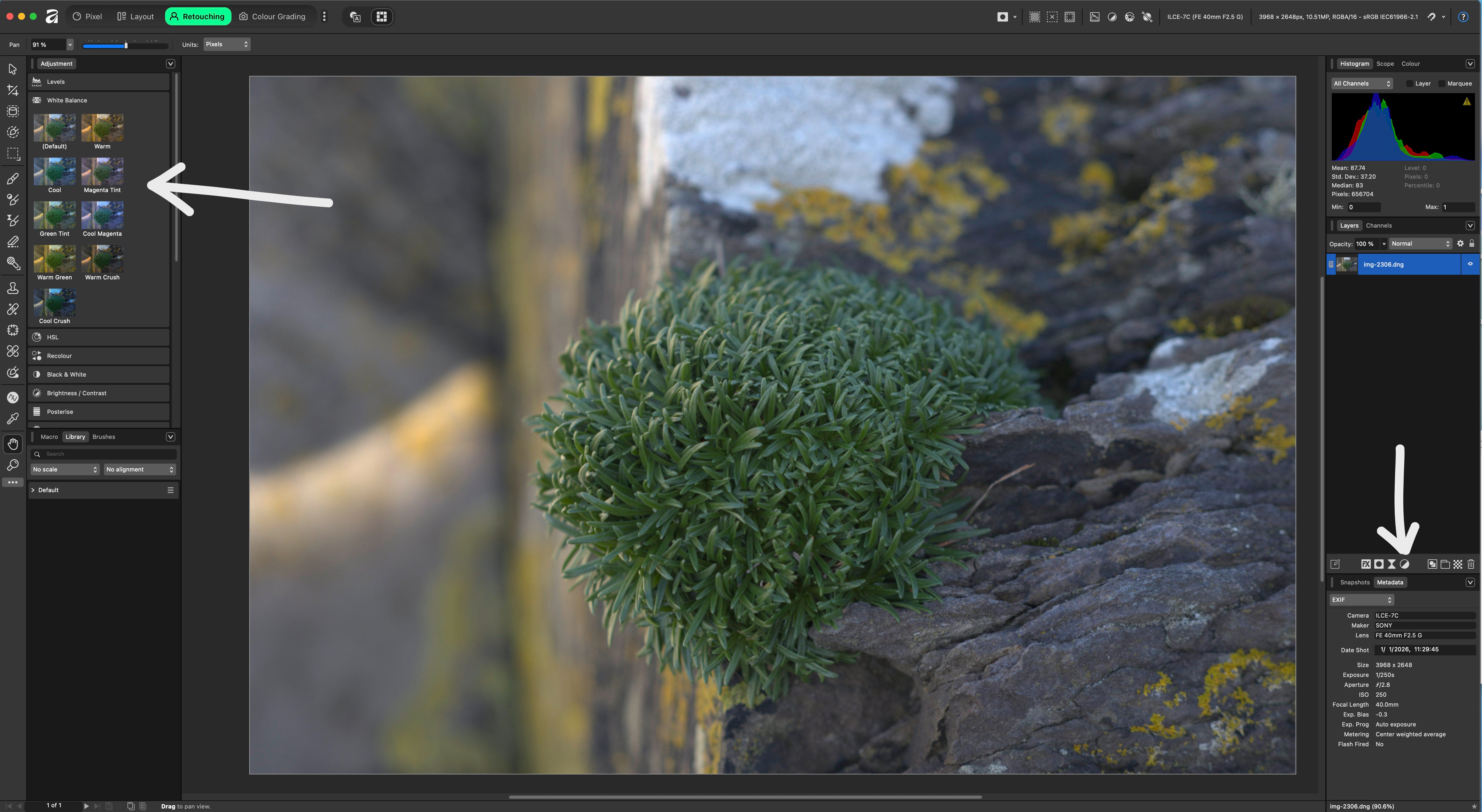
If we click now on the “Develop” button, this will close the module and open a different one called “Retouching” which is Affinity’s version of Photoshop. Here we have again panels on the left and on the right. If we click on “White Balance” on the left, we have different presents: warm, cool, magenta tint, etc. On the right-side panels, under “Filters” we have again “White balance” which uses sliders to modify and can be used as a layer. Of course, layers have masks, can be visible at a certain percentage, can be merged, same as in Photoshop.
So all the tools and adjustments that people are so familiar with in Photoshop are in fact in Affinity, you just need to find them. I don’t find it complicated but that’s me, I even learned a few shortcuts in Affinity.
I have been an Affinity Photo user since 2017. I bought the OG version. I also upgraded (and decided to support them) to Affinity 2.0. In fact, I bought the suite of Affinity software (Photo, Designer, Publisher) for both my MacBook Pro and iPad. Then Canva bought them out and came out with a free app that I have not yet used. I assume you are using the free app? I have my Nik Efex and Topaz DeNoise software such that I can access them through Affinity Photo and I don’t think that is a possibility yet with the free Canva version. So, for now, I am staying with my purchased license and am using Affinity 2.0 until it’s no longer supported. I have enjoyed using Affinity software but I am now a bit of a skeptic with the whole Canva overhaul. Thanks for talking about your own experiences with the software.
You've said don't mix the topics, but... what kind of catalogue are you using if not Lightroom? Does Affinity has something similar?