

Cropping and straightening
Photographer's most simple and powerful tools

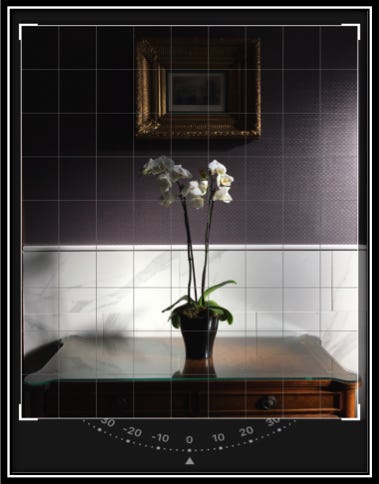

It’s never been easier to take photos - almost everybody has a smart phone with a camera. Social media platforms are almost saturated with images and are still pushing users to take more. There are social media platforms, like Instagram, especially dedicated to images. On other platforms, like Facebook or Twitter, almost every post contains an image, a video or a link to an image. So how can you make your images stand out from the rest? Simple: by paying attention to details.
One of my favorite saying is: “Unless your are photographing the Tower of Pisa, make sure your photos are straight: it is more pleasant to the eye!”. I’ve said it hundreds of times and I will say it again. This type of attention to details is what makes the difference between an ordinary photo and a good photo.
You’ve seen something. You picked up your phone and snap! Now you have a great image that you can’t wait to share it on social media. But how you make it stand out? Oh, maybe a filter. Yes, filters can be good but before any filter, before any adjustments to brightness, colour and saturation, there is something else: make sure your image is straight!
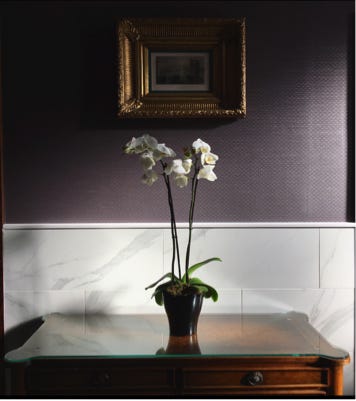
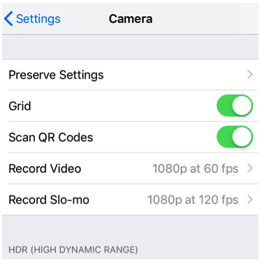
A question arise: how can you take photos that are straight all the times? The answer is: unless you are carrying tones of equipment, you can’t. But there are tools available. These tools are not a guarantee that your photos will be straight every single time but are there to help you achieving that goal. The easiest solution and the one available to any phone (unfortunately it is not available to all cameras) is to impose the grid over what you see. The lines of the grid will help you keep your phone straighter.
Now you have the image and it looks pretty good: it has a good range of light and shadows, great colours and a beautiful subject. But if you take a closer look, you see that the sides of the image are not exactly as you would like, it contains a bit of unwanted material.
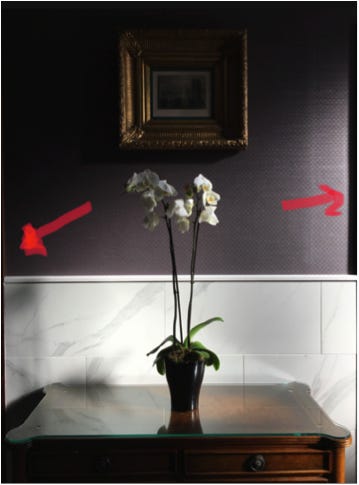
So all you have to do is crop the image so the unwanted parts are gone. You don’t have to be an expert in Photoshop, any software is able to do that. If the image was taken with a phone, it is simpler than ever: press Edit and from Crop menu select and crop the image as desired.
Now is the time to straighten the photo: a little touch to straightening tool, just to makes all the lines straight, will make a huge difference to the image.
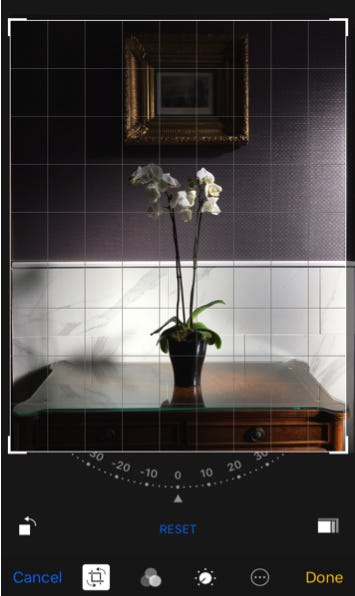
By cropping and straightening the image, you can make it more pleasant to the eye, you can remove some of the unwanted parts and you can make the viewer to concentrate at the subject without distractions: that’s why those simple tools are so powerful - use them wisely!
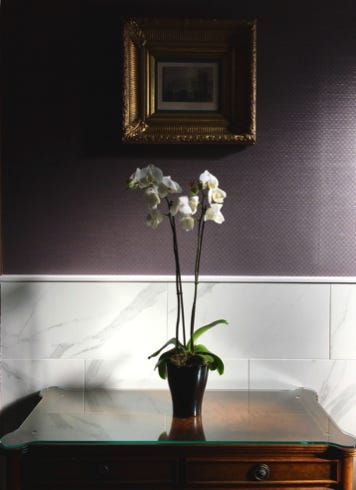
The results after cropping and straightening are not necessarily radical but are a very good improvement to the quality of the image, to the way the image is presented to the public. It is possible that the image might needs other adjustments (brightness, contrast, saturation) but this is a different matter, the first step to a great image it’s done.
Hang a picture on a wall: if it’s not straight, it’s loosing the beauty and the value, hang it straight and every time you’ll get a “Wow”!
I simply forgot that the phone's camera has a built-in 3x3 grid system, it's time to use it.
Very explanatory and useful, congrats!